Connect Binance in Two Minutes: No Secrets, No Withdrawals
Step-by-step guide to connecting your Binance account to algomax with a self-generated Ed25519 API key: no API secret to copy, no IP whitelist to maintain, withdrawals off, and a screenshot for every step.
Why this connection works differently
Binance has tightened its API rules over the years. A standard system-generated key with no IP restriction is now read-only: to let it trade, you would have to collect server IP addresses from your bot platform and whitelist them by hand, and an unrestricted key that sits idle gets deleted after 30 days. That is a lot of ceremony for "let my bot place orders".
There is a cleaner path built into Binance itself: self-generated (Ed25519) keys. You upload a public key, Binance issues an API key against it, and trading permissions work with no IP whitelist at all. algomax builds its Binance connection on exactly that flow:
- algomax generates the key pair server-side and shows you only the public half. Public keys are safe to share by design.
- You paste it into Binance and paste back the API key Binance issues. An API key is an identifier, not a password.
- You never see, type, or store a secret at any point.
Compare that with the classic "copy your API key and secret into this form" setup, where a leaked secret means a compromised account. Here there is no secret in transit at all. And withdrawals stay off the whole time: .
Before you start
- A Binance account with identity verification completed and 2FA enabled. Binance will not create API keys without both.
- An algomax account. The connection lives in Account → Connections, and works whether or not you have a strategy ready to deploy.
Open Account → Connections, press Connect Binance, and the dialog hands you your connection key with a copy button. Copy it, keep the tab open, and switch to Binance.
Step 1: Open API Management and create a key
On Binance, go to Account → API Management and press Create API in the top right corner.
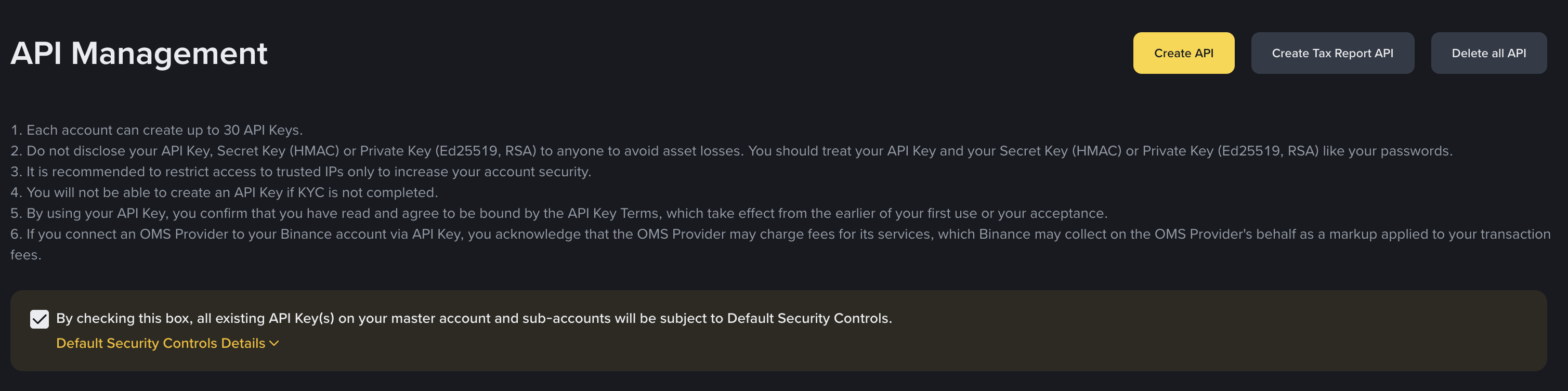
Step 2: Choose Self-generated
Binance asks which key type you want. Pick Self-generated, not System generated. Binance's description talks about creating your own key pair with external software. Skip that part: algomax already generated the pair for you, which is the whole point of the flow.
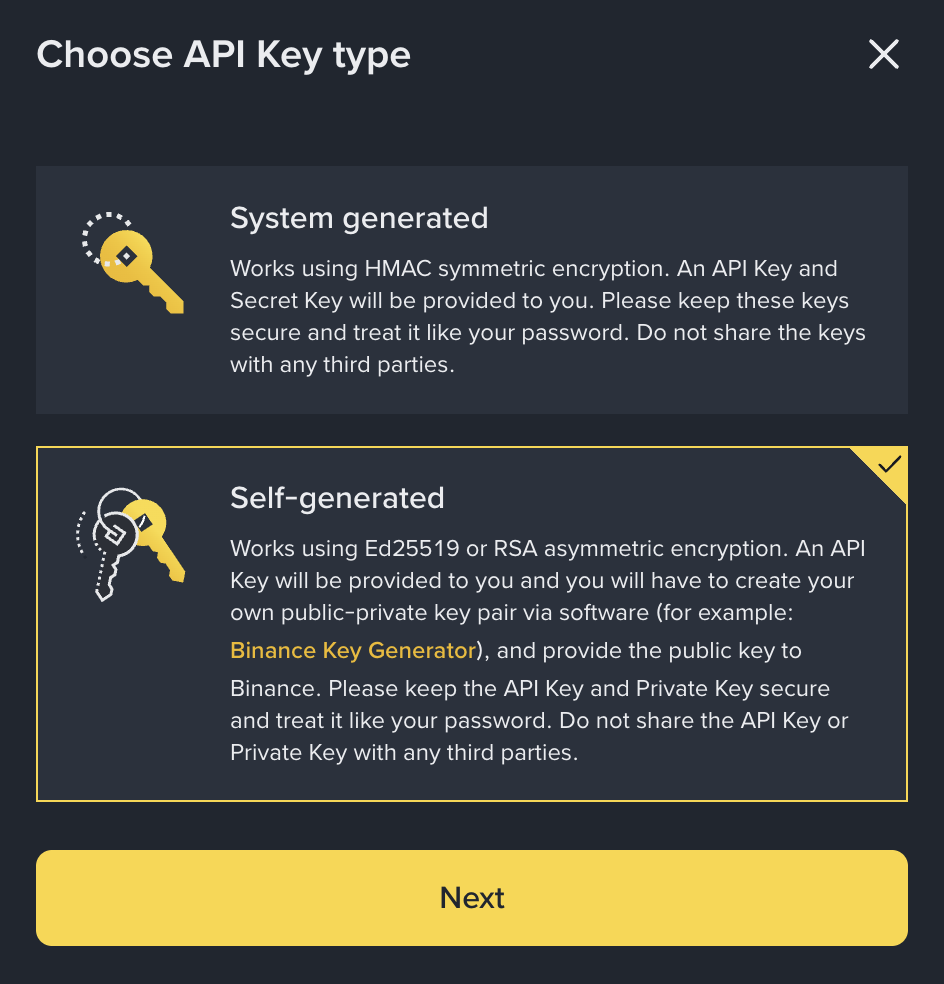
Step 3: Upload the public key
Paste the connection key you copied from algomax into the Upload public key box, exactly as copied, including the BEGIN and END lines.
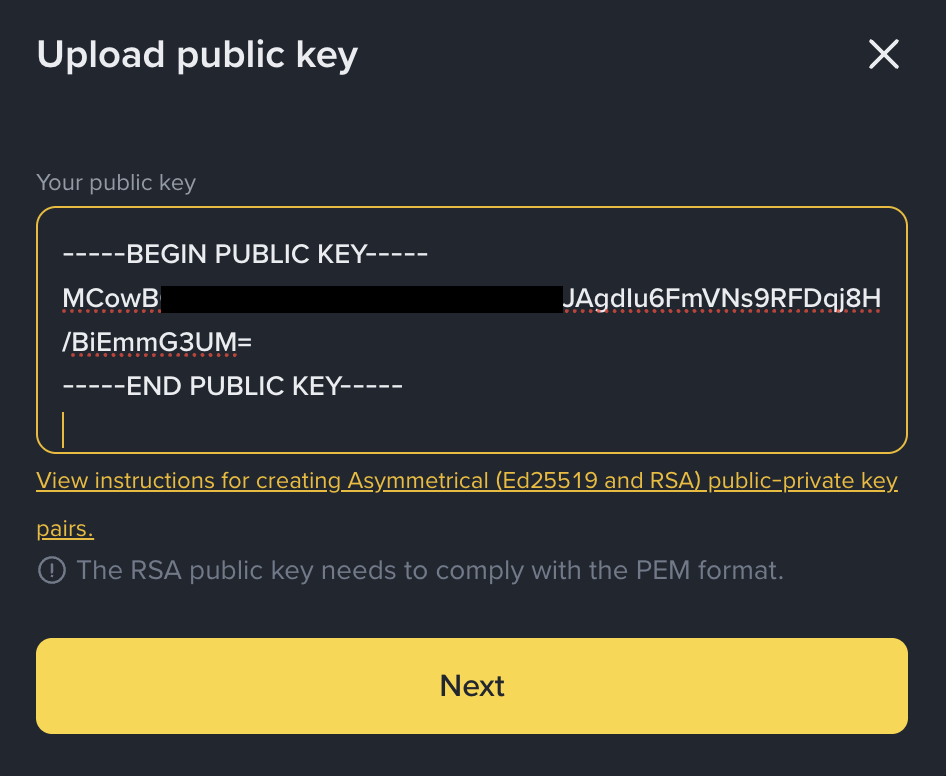
Step 4: Label the key
Give the key a name you will recognize later, for example algomax-ai, then complete Binance's usual 2FA verification.
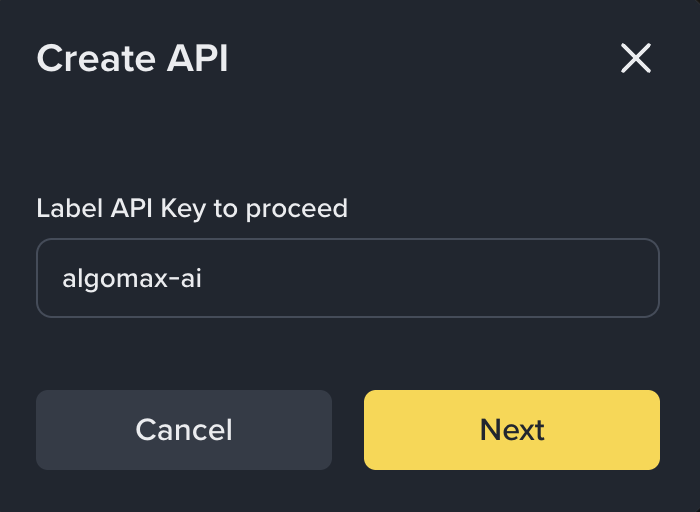
Step 5: Enable trading permissions
On the new key, open Edit restrictions and check exactly two boxes on top of the default Enable Reading:
- Enable Futures
- Enable Spot & Margin & Stock Trading
Leave IP access restrictions on Unrestricted, leave every other box off, and press Save.
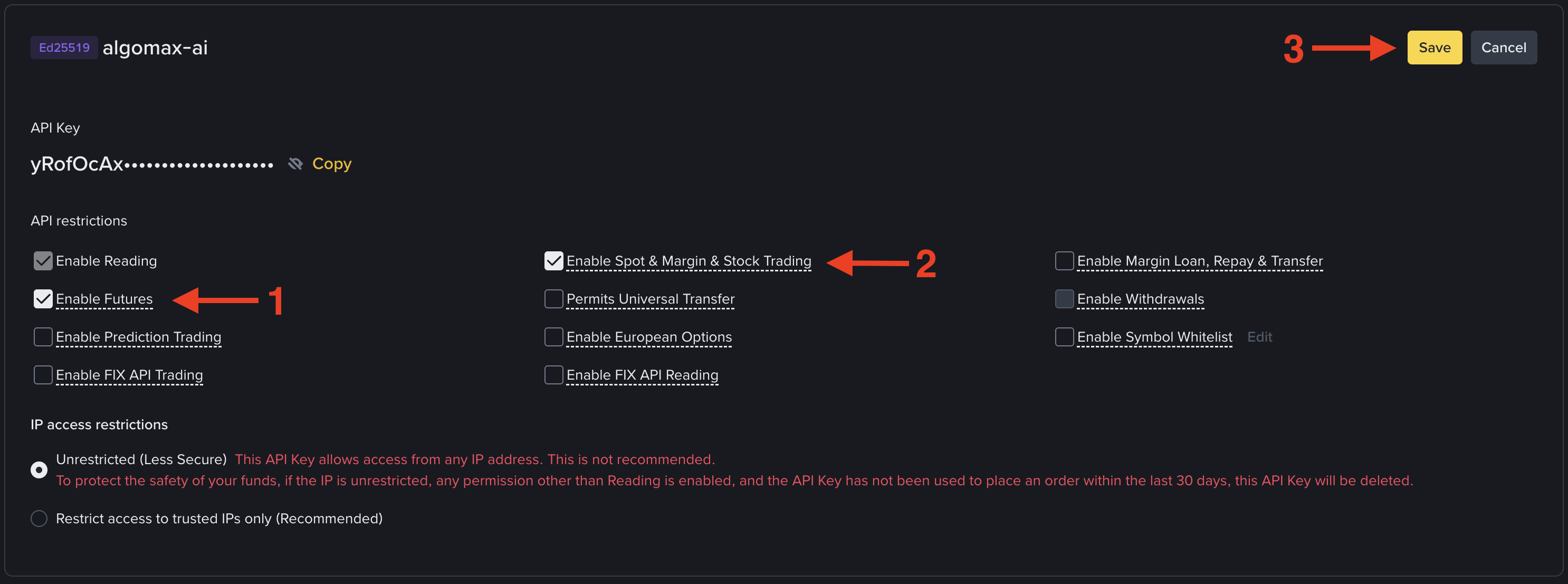
Never enable withdrawals on a bot key, and be suspicious of any platform that asks you to. algomax never does: a trading bot has no business moving funds out of your account.
Step 6: Copy the API key back to algomax
Copy the API key from the key detail screen, switch back to the algomax dialog, paste it into the last field and press Connect. Validation is instant: algomax makes a signed test call against both spot and futures before saving anything, so a missing permission box shows up as a clear error now instead of a failed trade later.
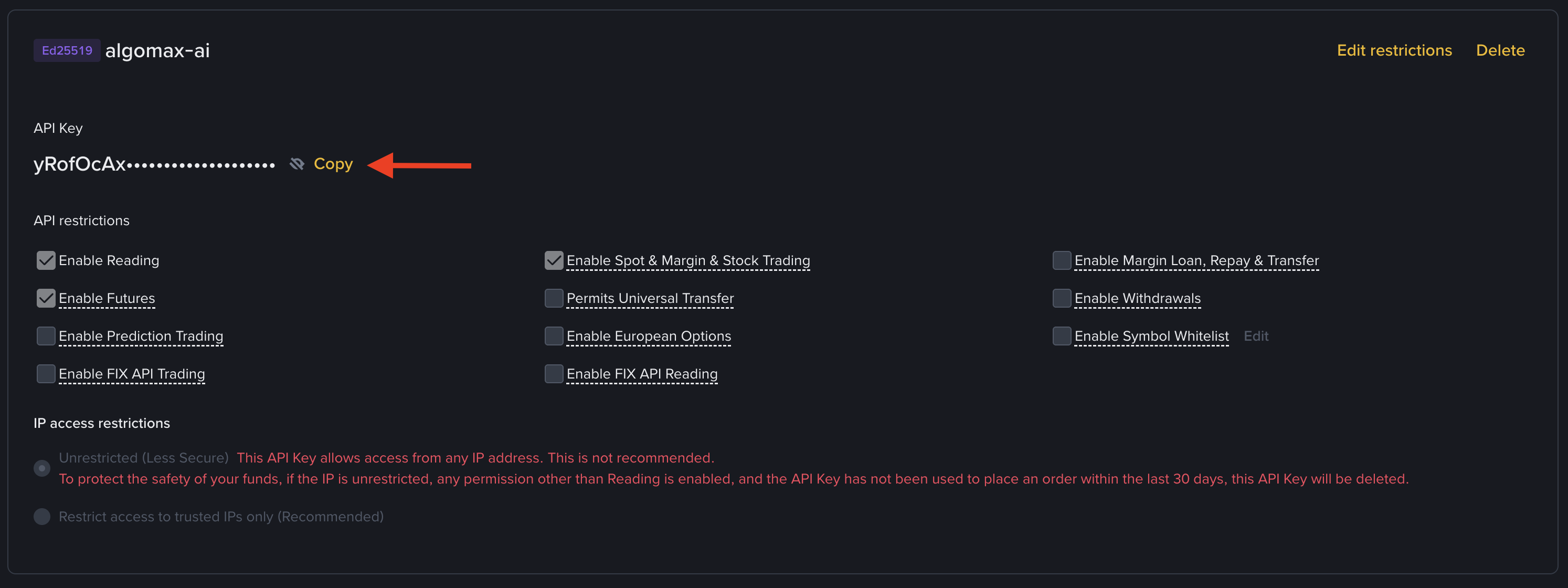
That is the whole setup. Your bots can now trade on your own Binance account, on , while your funds never leave Binance.
Binance deletes an unrestricted key that has not placed an order in 30 days. A running bot keeps its key alive by trading. If your key ever gets cleaned up after a long pause, reconnecting is the same two-minute flow.
Key takeaways
- Binance keeps unrestricted system-generated keys read-only; the self-generated Ed25519 flow is the sanctioned way to trade without an IP whitelist.
- algomax generates the key pair for you: you paste a public key into Binance and an API key back, and no secret ever changes hands.
- Your bot key needs exactly three permissions: Reading, Spot & Margin Trading, and Futures. Nothing else, and never withdrawals.
- The connection is validated with a live signed call the moment you paste the key, so permission mistakes surface immediately.
- When the connection is live, run through a before pointing real money at a strategy.
Frequently asked questions
Why can't I just paste an API key and secret like on other platforms?
You can on many platforms, but Binance made that path painful on purpose: an unrestricted system-generated key is read-only, so trading would force you to maintain an IP whitelist. The self-generated flow avoids the whitelist entirely and removes the secret from the exchange of information, which is safer for you.
Is it safe to paste the key algomax gives me into Binance?
Yes. What you paste is a public key, which is designed to be shared. The private half that actually signs orders is generated and stored encrypted on algomax's servers and is never shown to anyone, including you.
Do I need to whitelist IP addresses?
No. IP whitelisting is what Binance requires for system-generated (HMAC) keys to trade. Self-generated Ed25519 keys can have Spot and Futures trading enabled with IP access left unrestricted.
Which permissions does my bot key need?
Enable Reading, Enable Spot & Margin & Stock Trading, and Enable Futures. Leave everything else unchecked. Withdrawal permission should never be enabled on a bot key, and algomax will never ask for it.
Will my API key expire?
Binance deletes an unrestricted key that has not placed an order for 30 days. An active bot keeps the key alive on its own. If the key does get removed during a long break, delete the stale connection in algomax and run the same two-minute flow again.