API Key Permissions: Never Grant Withdrawal Access
Learn why trading bot API keys should have trade permission but never withdrawal access, and how permission scopes keep your funds safe on the exchange.
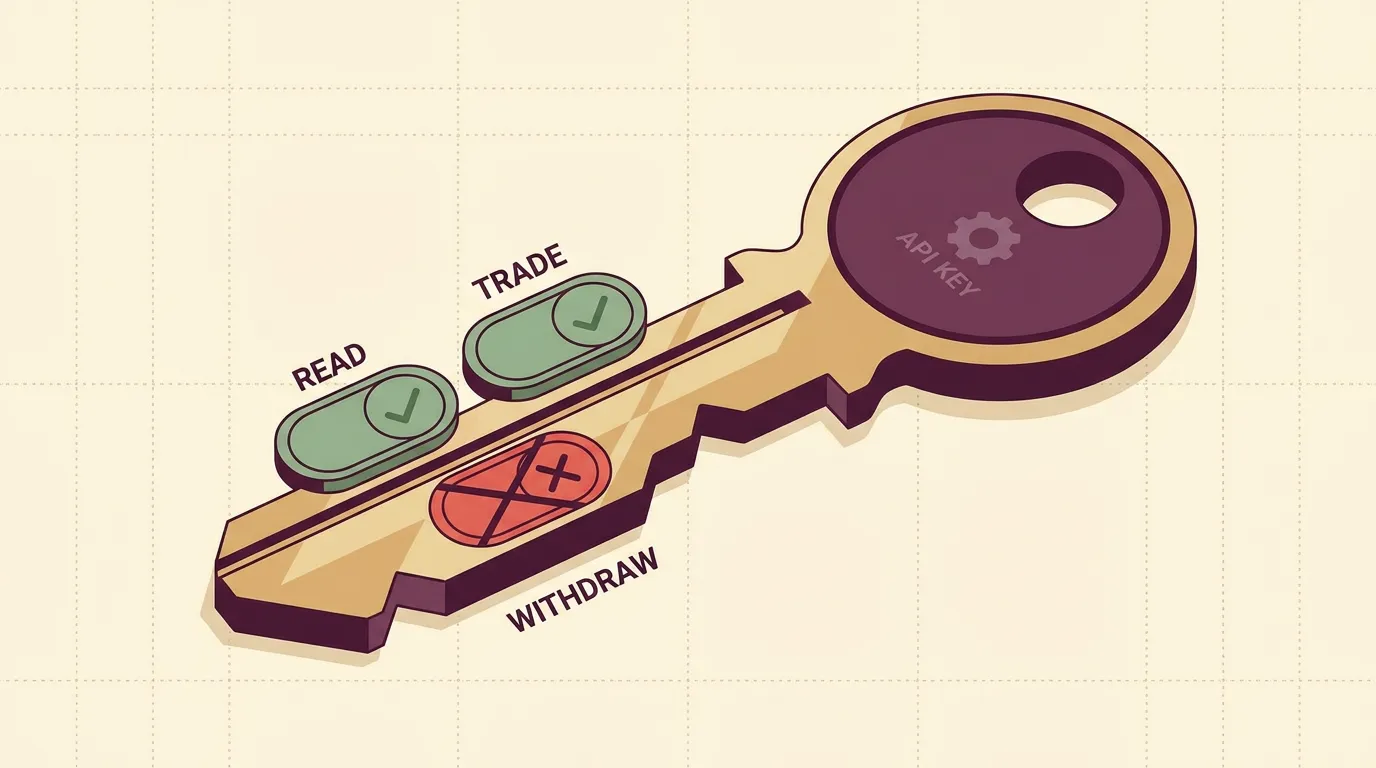
The one setting that matters most
When you create an API key to connect a broker to a trading bot, you choose what that key is allowed to do. A bot only needs to read data and place orders — nothing else. Withdrawal permission is the setting that can turn a leaked key into a drained account, and no automated strategy ever needs it.
Get this right at creation time and you've removed the worst-case outcome before it can happen.
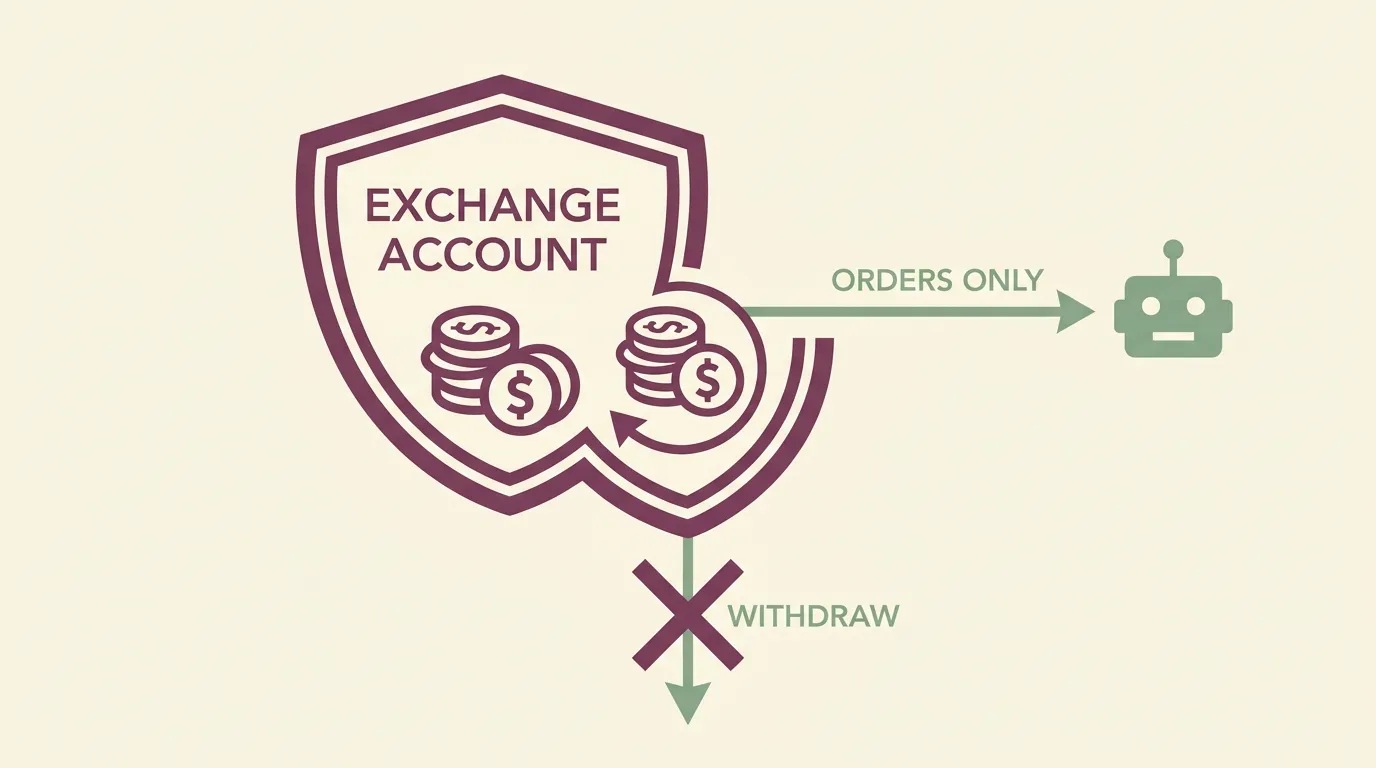
What each permission scope actually does
Exchanges group API key powers into a handful of permission scopes. Here's what a bot needs — and what it doesn't:
A trading bot's job is to read the market and manage orders on your behalf. It never has a reason to send money out of your account. Withdrawal is a manual decision you make yourself, from the exchange's own interface.
If an exchange offers withdrawal permission as a checkbox during key creation, leave it unchecked. A trade-only key that leaks can lose you money through bad trades — but it cannot move your balance to a stranger's wallet.
Why non-custodial changes the threat model
On , bots place orders through your own connected broker keys — the platform never custodies your funds and never trades with pooled money. Your capital stays inside your Binance, Alpaca, or OANDA account the whole time.
That matters for security. Because the funds never leave your exchange, the only thing a connected key can do is what you scoped it to do. With withdrawal disabled, the blast radius of any leak is limited to trading activity — which your own further contain.
Two more layers worth adding at the exchange:
- IP allowlisting — restrict the key so it only works from known addresses. Even a copied key is useless from elsewhere.
- Separate keys per use — one key per bot or platform. If you ever need to revoke one, you don't disrupt everything else.
Practical key hygiene
Scoping is step one. Ongoing habits keep it safe:
- Create a dedicated key for the connection — don't reuse a key you've pasted into other tools.
- Copy the secret once, carefully. Most exchanges show the secret only at creation. Store it in a password manager, not a note or chat.
- Review keys periodically. Delete any you no longer use. An unused key with live permissions is pure downside.
- Revoke immediately if in doubt. Deleting a key at the exchange instantly cuts off access — the bot simply stops being able to trade, and your funds are untouched.
Before you connect anything live, run the strategy in . You'll confirm the connection and behaviour with zero real-money exposure, then swap in live keys only when you're ready to .
Setting permissions correctly takes about thirty seconds and is the highest-leverage security decision you'll make. It costs nothing and removes the outcome you'd least want to explain to yourself later.
Key takeaways
- A trading bot needs read and trade permissions only — never withdrawal.
- Non-custodial means your funds stay on the exchange; a correctly scoped key can't move them out.
- Add IP allowlisting and use a separate key per bot to shrink the blast radius.
- Revoking a key at the exchange instantly and safely cuts off access without touching your balance.
Frequently asked questions
Why does a trading bot never need withdrawal permission?
A bot's only job is to read market data and place or cancel orders. Moving funds off the exchange is a manual decision you make yourself, so leaving withdrawal disabled removes the worst-case outcome if a key is ever exposed.
What permissions should I enable for a bot API key?
Enable read access so the bot can see balances and market data, and trade access so it can place and cancel orders. Leave withdrawal and transfer permissions off.
What happens to my funds if my API key leaks?
If withdrawal is disabled, a leaked key can only affect trading activity, not move your balance out of the account. Adding IP allowlisting makes a copied key useless from any address you didn't authorise, and revoking the key at the exchange cuts access instantly.
Does algomax hold my money?
No. algomax is non-custodial: bots place orders through your own connected broker keys, and your funds stay inside your Binance, Alpaca, or OANDA account at all times.
How do I revoke a bot's access safely?
Delete or disable the API key from your exchange's security settings. This instantly stops the bot from trading and leaves your balance untouched, which is why using a separate key per bot is worthwhile.