Market vs Limit Orders Explained for Algo Traders
Market vs limit orders explained in plain language: how each fills, when to use them, and how order choice affects slippage and fees in automated trading.
The short answer
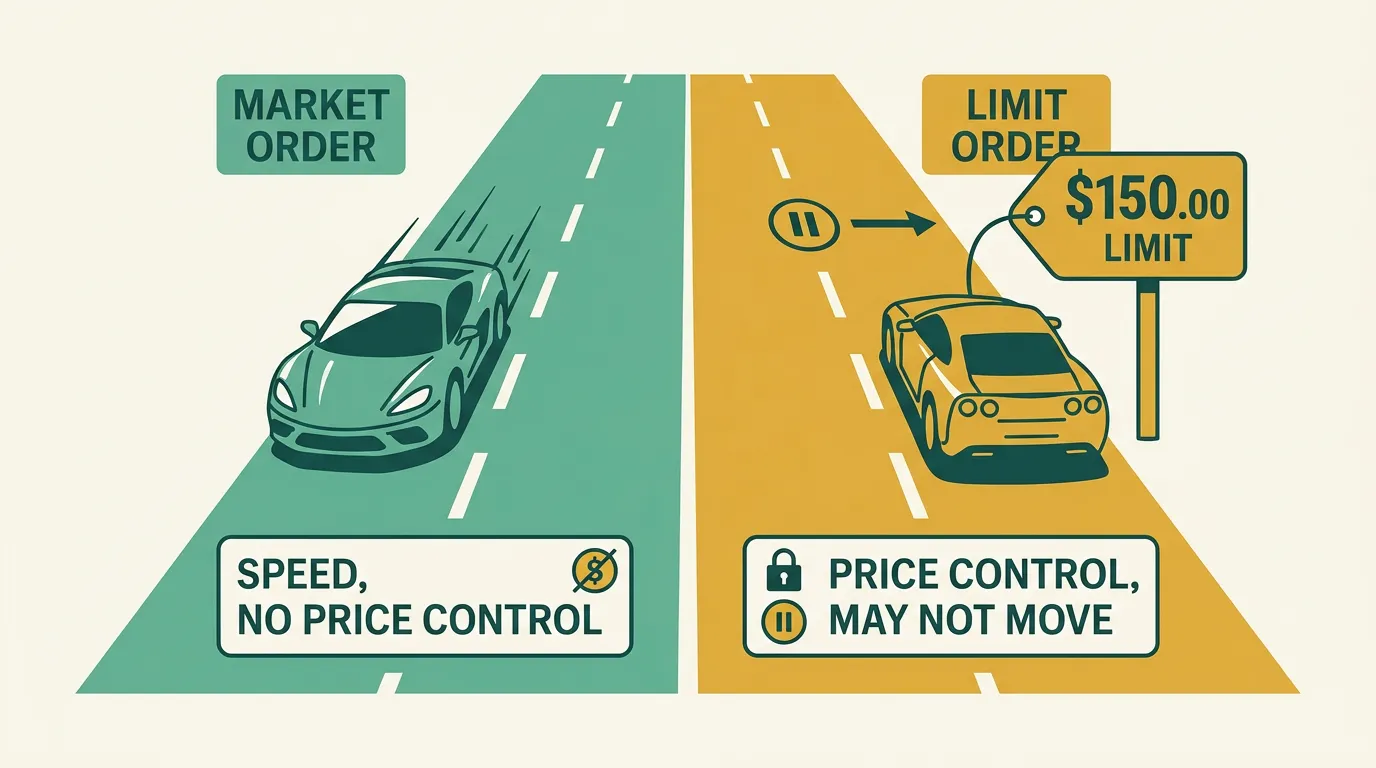
A market order fills immediately at whatever price is available right now. A limit order fills only at your price or better — but it might not fill at all. Speed versus price control: that's the whole trade-off.
Every bot has to choose one when it enters or exits. Getting this right matters more than beginners expect, because it quietly shapes your slippage, your fees, and whether your trades happen when you want them to.
How each order actually fills
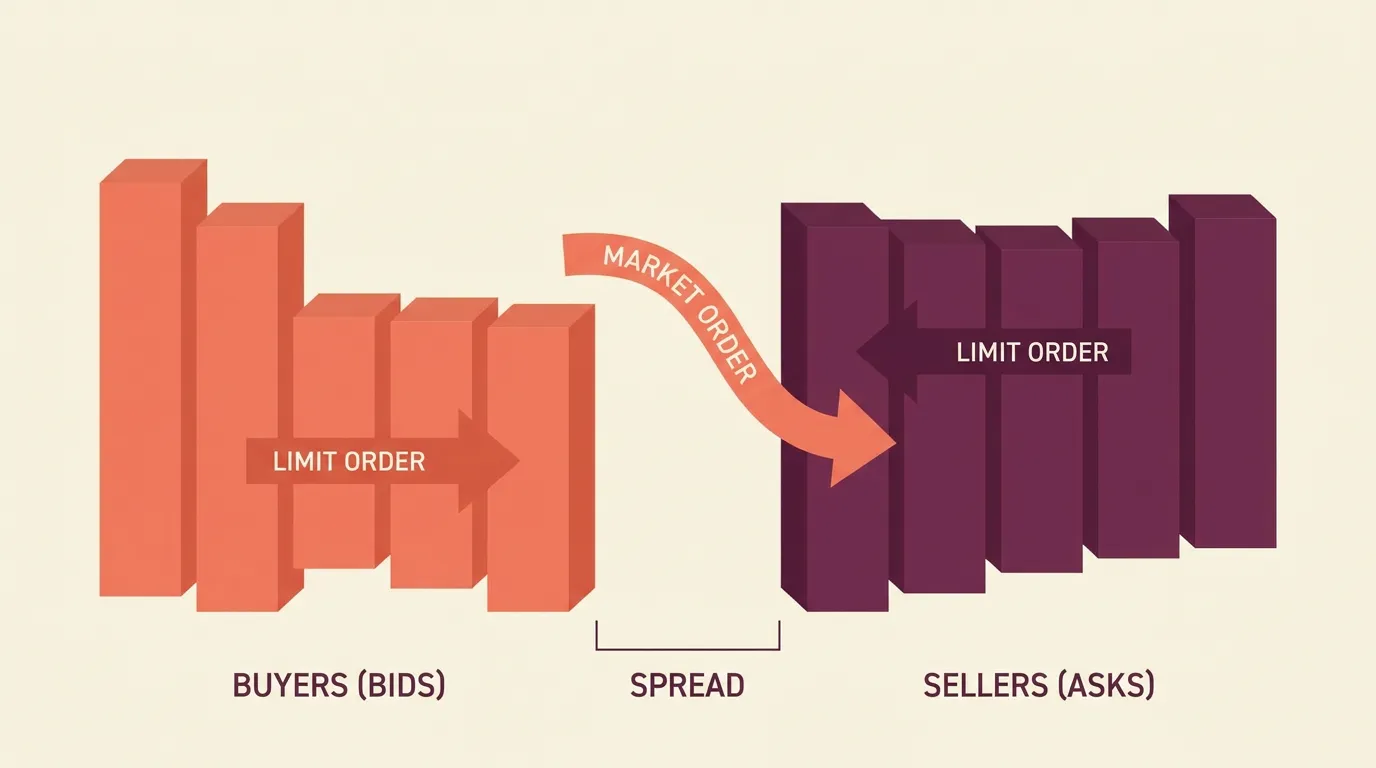
Think of the order book as two queues: buyers bidding and sellers asking. The gap between the best bid and best ask is the spread.
- A market order crosses the spread and takes the best available price instantly. You're guaranteed to trade, but not at a guaranteed price.
- A limit order posts your desired price into the book and waits. You're guaranteed the price (or better), but not that it executes.
On many venues, market orders are "taker" trades (you take liquidity) and often pay higher fees. Resting limit orders are "maker" trades and sometimes earn a fee rebate. Over hundreds of automated trades, that difference adds up.
When each one fits a bot
The right choice depends on what your strategy is trying to do.
Use a market order when getting in or out matters more than the exact price:
- Stop-loss and emergency exits — you want out now, not eventually.
- Fast-moving breakouts where a missed fill means a missed trade.
- Highly liquid pairs where the spread is tiny anyway.
Use a limit order when price precision matters more than certainty of filling:
- Mean-reversion entries where you want to buy a specific dip.
- Thin or volatile markets where a market order could fill far from the last price.
- High-frequency or high-turnover strategies where saving on fees compounds.
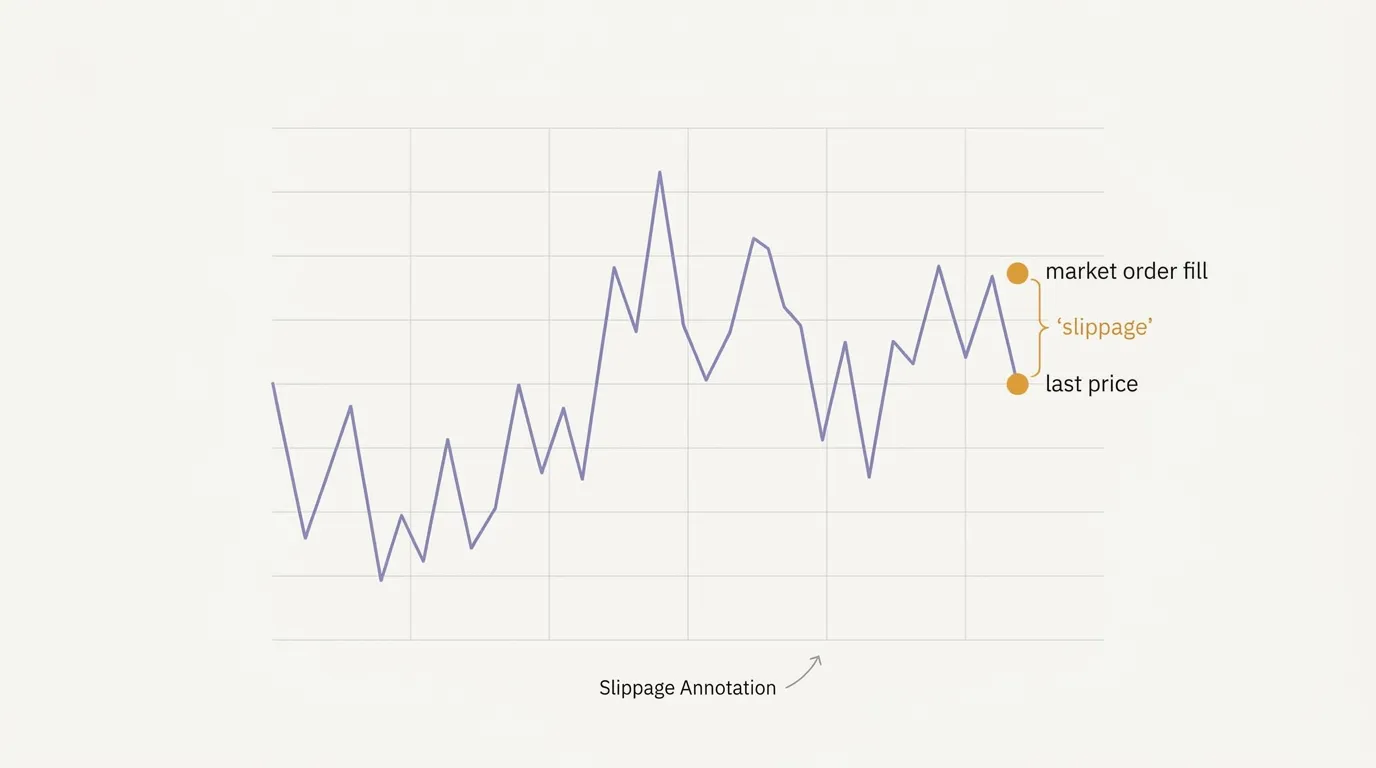
The dangerous case is a market order in a thin market: you can "walk the book" and fill several ticks worse than you expected. That gap is real slippage, and a backtest that assumes clean fills won't warn you.
A common middle ground is the stop-limit order: it triggers at one price but only fills within a limit you set — useful when you want a stop that won't panic-sell into a flash crash.
What this means for your automated strategy
With algomax you don't code any of this — you and the AI turns it into a ready-to-run bot. But your description should still say what you want: "exit immediately on stop" implies a market order; "buy only if price touches X" implies a limit.
The practical workflow:
- Decide per-action. Many strategies use limit entries for precision and market exits for safety.
- Backtest it first — but remember backtests can't perfectly model whether a limit would have filled or how much a market order slips.
- to see real fill behavior on your connected broker.
If your live results are consistently worse than your backtest, unmodeled slippage on market orders is one of the first suspects. Switching an entry to a limit order — or trading more liquid pairs — often closes the gap.
Key takeaways
- Market orders buy speed and certainty; limit orders buy price control — you can't have both.
- Market orders usually cost more in fees and risk slippage; limit orders may never fill.
- A common pattern: limit entries, market (or stop) exits.
- Backtests rarely model fills perfectly — paper trade to see what actually happens.
Frequently asked questions
Are limit orders always cheaper than market orders?
Often, but not guaranteed. On many venues resting limit orders are treated as maker trades with lower fees or rebates, while market orders are taker trades with higher fees. The exact fee schedule depends on your broker and market.
Can a limit order fail to execute?
Yes. A limit order only fills at your specified price or better, so if the market never reaches that price it simply stays open or expires unfilled. That's the main downside compared to a market order.
Which order type should a stop-loss use?
Many traders use a market order for stop-losses so the exit executes immediately when triggered. If you're worried about filling far from your stop in a fast move, a stop-limit order caps how bad the fill can be, at the risk of not filling at all.
Does order type matter in a backtest?
It matters, but backtests can't perfectly model reality. They may assume a limit order filled when it wouldn't have in practice, or ignore slippage on market orders. Paper trading on your real broker shows how fills actually behave.
Do I set order types in code on algomax?
No. You describe the behavior in plain language — for example wanting an immediate exit versus buying only at a specific price — and the AI builds a ready-to-run bot that uses the appropriate order type through your connected broker.