Extended Hours Trading on Alpaca: What Bots Must Know
Extended hours trading on Alpaca lets bots trade pre-market and after-hours — but thin liquidity and wider spreads change the rules. Here's what to watch.
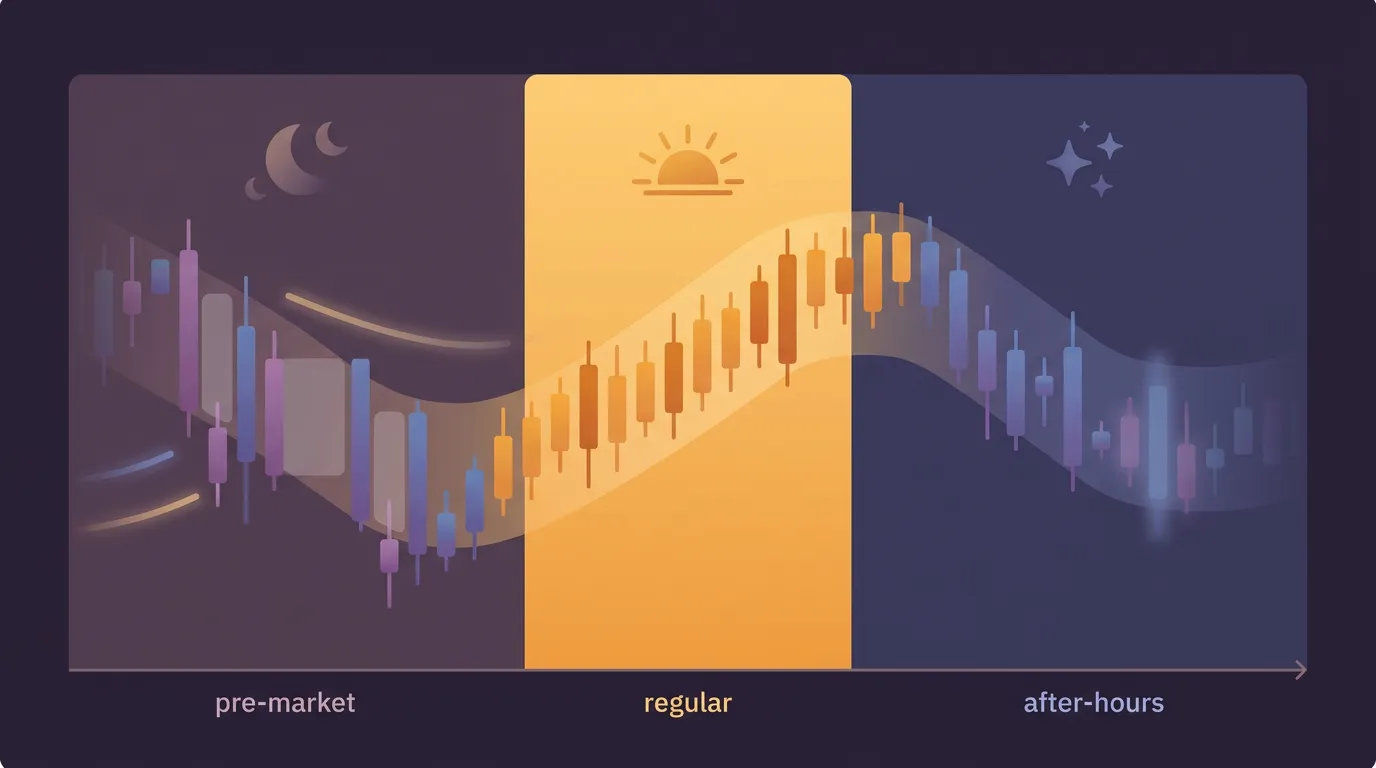
What "extended hours" actually means
US stocks trade in three windows, not one. The regular session runs 9:30 a.m.–4:00 p.m. ET, but Alpaca also supports pre-market (roughly 4:00 a.m.–9:30 a.m. ET) and after-hours (4:00 p.m.–8:00 p.m. ET). These extended sessions are where stocks first react to earnings reports and overnight news — before most participants are awake.
That early reaction is the appeal. It's also the trap. Extended hours are a fundamentally different market, and a bot that works at midday can behave badly at 5 a.m.
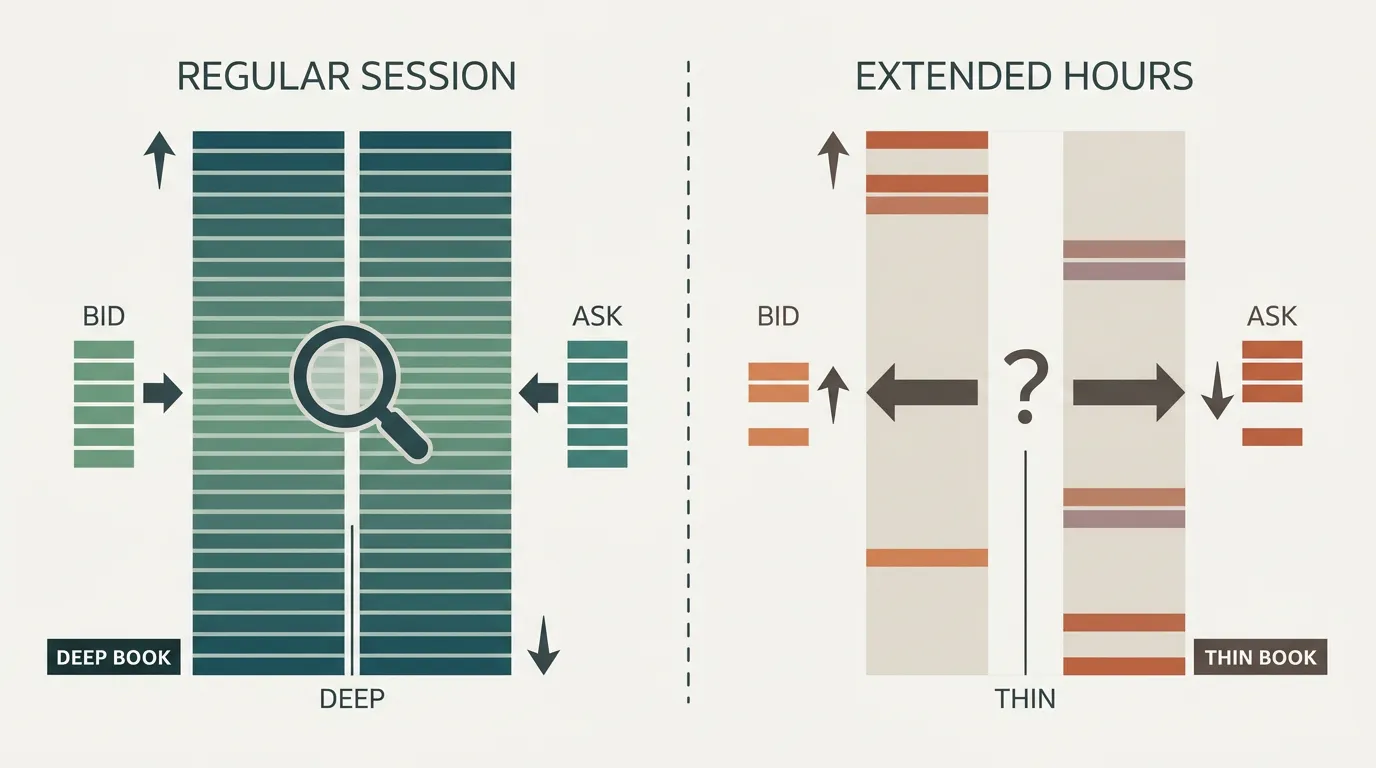
Why extended hours behave differently
Three things change the moment the regular session closes:
- Thin liquidity. Far fewer shares change hands. A modest order can move the price against you.
- Wide spreads. The gap between bid and ask blows out. You pay more to enter and give back more to exit.
- Limit orders only. Alpaca requires limit orders in extended hours — market orders are rejected. That's actually protective: a market order into a thin book could fill at a wild price.
A quote can look great and still be untradeable. In pre-market, a "last price" may be stale by minutes, and the size behind it may be a handful of shares. Treat extended-hours prints with suspicion.
Because only limit orders are allowed, your bot has to decide what price it's willing to accept — and accept that it may not fill at all. That trade-off between certainty of fill and certainty of price is the whole game here, and it's worth understanding before you build anything that touches these sessions.
Session comparison at a glance

Building a bot that respects the session
If you want to trade these windows, design for them explicitly rather than letting a daytime strategy leak into them.
- Be deliberate about which session you trade. With a no-code platform like algomax you describe the rules in plain language — including that a strategy should only act during pre-market or after-hours, or avoid them entirely. The AI turns that description into a ready-to-run bot; you never touch code.
- Use conservative limit prices. Don't chase. Set a price you'd genuinely be happy with and let the order sit or expire.
- Size down. Thin books punish large orders. Smaller positions reduce slippage and the risk of moving the market yourself.
- Cap your risk per day. Overnight gaps and jumpy extended-hours prices make a especially valuable as a circuit breaker.
Backtests built on regular-session candles won't capture extended-hours spreads and gaps. Treat any pre/after-hours edge as unproven until you've watched it in across real sessions.
The honest takeaway: extended hours reward speed of reaction but penalize sloppiness. Most beginner strategies are better off sticking to the regular session, where fills are predictable and spreads are tight. Reach for extended hours only when your edge specifically depends on reacting before the open — and even then, with tight limits and small size.
Key takeaways
- Alpaca supports pre-market and after-hours, but both have thin liquidity and wide spreads.
- Only limit orders are accepted outside the regular session — decide your acceptable price and accept partial or no fills.
- Size down and cap daily loss; extended-hours moves can be violent and stale.
- Regular-session backtests don't model extended hours, so validate in paper trading first.
Frequently asked questions
What hours are Alpaca's extended trading sessions?
Pre-market runs roughly 4:00 a.m. to 9:30 a.m. ET and after-hours runs 4:00 p.m. to 8:00 p.m. ET. The regular session sits between them from 9:30 a.m. to 4:00 p.m. ET.
Can a bot use market orders in extended hours?
No. Alpaca requires limit orders outside the regular session, and market orders are rejected. This protects you from wild fills in thin, illiquid books, but it also means your order may not fill at all.
Why are extended hours riskier for a trading bot?
Liquidity is much thinner and spreads are far wider, so orders can move the price against you and fills can be poor. Quotes can also be stale, making prints misleading.
Should beginners automate extended hours trading?
Usually not. Most strategies are better off in the regular session where fills are predictable and spreads are tight. Only trade extended hours if your edge specifically depends on reacting before the open, and then with small size and tight limits.
Can I test an extended-hours strategy before going live?
You should paper trade it across real sessions, because regular-session backtests won't capture the wider spreads and gaps of extended hours. Watch how it actually fills before committing real money.